Amazon DynamoDB using awscli


Install latest version of aws-cli

sudo yum remove awscli

curl "https://awscli.amazonaws.com/awscli-exe-linux-x86_64.zip" -o "awscliv2.zip"

unzip awscliv2.zip

sudo ./aws/install

/usr/local/bin/aws --version

Add in Bash Profile path /usr/local/bin

vim ~/.bash_profile

aws --version

aws configure

Create DynamoDB Table

aws dynamodb create-table \
--table-name CustomerRecords \
--attribute-definitions \
AttributeName=CustomerID,AttributeType=S \
AttributeName=RecordDate,AttributeType=S \
--key-schema \
AttributeName=CustomerID,KeyType=HASH \
AttributeName=RecordDate,KeyType=RANGE \
--billing-mode PAY_PER_REQUEST

# Delete DynamoDB Table
aws dynamodb delete-table --table-name CustomerRecords

# Enable Point-in-Time-Recovery
aws dynamodb update-continuous-backups --table-name CustomerRecords --point-in-time-recovery-specification PointInTimeRecoveryEnabled=True

Load Records

import boto3
import faker
import sys

# Generate fake data
def generate_data(size):
fake = faker.Faker()
records = []
for _ in range(size):
record = {
'CustomerID': fake.uuid4(),
'RecordDate': fake.date(),
'Name': fake.name(),
'Age': fake.random_int(min=0, max=100),
'Gender': fake.random_element(elements=('Male', 'Female', 'Other')),
'Address': fake.sentence(),
'Description': fake.sentence(),
'OrderID': fake.uuid4()
}
records.append(record)
return records

def write_data_in_chunks(table_name, data, chunk_size):
dynamodb = boto3.resource('dynamodb')
table = dynamodb.Table(table_name)
for i in range(0, len(data), chunk_size):
with table.batch_writer() as batch:
for record in data[i:i+chunk_size]:
batch.put_item(Item=record)
print(f"Successfully wrote {len(data)} records to {table_name} in chunks of {chunk_size}.")

if __name__ == "__main__":
table_name = 'CustomerRecords'
chunk_size = int(sys.argv[1]) if len(sys.argv) > 1 else 1000
data = generate_data(chunk_size)
write_data_in_chunks(table_name, data, chunk_size)
$ python3 load_to_dynamodb.py 1000

Calculate Unix Epoch time in milliseconds

date +%s
1710374718

Full export

aws dynamodb export-table-to-point-in-time \
--table-arn arn:aws:dynamodb:ap-southeast-2:11111111:table/CustomerRecords \
--s3-bucket customerrecords-dynamodb \
--s3-prefix exports/ \
--s3-sse-algorithm AES256
--export-time 1710374718

Incremental export, starting at the end time of the full export

aws dynamodb export-table-to-point-in-time \
--table-arn arn:aws:dynamodb:ap-southeast-2:11111111:table/CustomerRecords \
--s3-bucket customerrecords-dynamodb \
--s3-prefix exports_incremental/ \
--incremental-export-specification ExportFromTime=1710374718,ExportToTime=1710375760,ExportViewType=NEW_IMAGE \
--export-type INCREMENTAL_EXPORT

Important Note :

  1. ExportFromTime here is the finish time of the Full export and ExportToTime is the current datetime calculated using date +%s command
  2. Difference between export period from time and export period cannot be less than 15 minutes
AWS Lambda Function to Load Data from ‘Requestor Pays’ S3 bucket in One Account to Redshift Cluster in Another Account

Part A : Create Redshift Spectrum Cross-Account Access for S3 


Company Account A: Redshift Cluster Account: 24xxxxxx16
Role: RoleA

Company Account B: S3 Bucket Account: 8xxxxxxxx11
Role: RoleB
Bucket Name (Create with Option “Requestor Pays”): s3://shadmha-us-east-2

Use Case:  1. Read Data from S3 Bucket in different account into Spectrum Table
                   2. Unload Data from Redshift Cluster to S3 bucket in different account

======================================================

Step 1: In Redshift Cluster Account 24xxxxxx16, do this

a)    Go to IAM > Roles > Create Role
b)    Create Role > Redshift > Redshift – Customizable.
c)    No need to add policies or tags, go ahead and save this role as “RoleA”
d)    Add this role to your Redshift cluster. Goto Redshift Console > Select Cluster > Manage IAM > Add “RoleA” to Cluster

Step 2: In account which has the S3 Bucket Account 8xxxxxxxx11, do this: 

a)    Go to IAM > Policies > Create policy
b)    Select the JSON tab and add below IAM policy, replace my bucket name ‘shadmha-us-east-2’ with your bucket name

{
    “Version”: “2012-10-17”,
    “Statement”: [
        {
            “Effect”: “Allow”,
            “Action”: [
                “s3:GetBucketLocation”,
                “s3:GetObject”,
                “s3:PutObject”,
                “s3:ListMultipartUploadParts”,
                “s3:ListBucket”,
                “s3:ListBucketMultipartUploads”
            ],
            “Resource”: [
                “arn:aws:s3:::shadmha-us-east-2”,
                “arn:aws:s3:::shadmha-us-east-2/*”
            ]
        },
        {
            “Effect”: “Allow”,
            “Action”: [
                “glue:CreateDatabase”,
                “glue:DeleteDatabase”,
                “glue:GetDatabase”,
                “glue:GetDatabases”,
                “glue:UpdateDatabase”,
                “glue:CreateTable”,
                “glue:DeleteTable”,
                “glue:BatchDeleteTable”,
                “glue:UpdateTable”,
                “glue:GetTable”,
                “glue:GetTables”,
                “glue:BatchCreatePartition”,
                “glue:CreatePartition”,
                “glue:DeletePartition”,
                “glue:BatchDeletePartition”,
                “glue:UpdatePartition”,
                “glue:GetPartition”,
                “glue:GetPartitions”,
                “glue:BatchGetPartition”
            ],
            “Resource”: “*”
        }
    ]
}

Chose Review Policy & Save the policy as let’s say ‘s3-cross-account-policy’

c)    Go to Roles > Create Role > Select type of trusted entity as ‘Another AWS Account’ tab
d)    Enter Account ID of Redshift Cluster Account ‘24xxxxxx16’ > Permissions > Search policy created in a)  “s3-cross-account-policy’
e)    Go next > create role > save it as “RoleB”
f)    Go to Roles > Select “RoleB” > “Trust Relationships” tab > Edit trust telationships. Add the below policy:

{
  “Version”: “2012-10-17”,
  “Statement”: [
    {
      “Effect”: “Allow”,
      “Principal”: {
        “AWS”: “arn:aws:iam::24xxxxxx16:root”
      },
      “Action”: “sts:AssumeRole”,
      “Condition”: {}
    }
  ]
}

Update the trust policy

Step 3: Go back to Account under which Redshift Cluster is created

a)    Go to IAM > Roles > Select role which you created earlier “RoleA”
b)    Add inline policy to this role and add the below policy and save it

{
    “Version”: “2012-10-17”,
    “Statement”: [
        {
            “Sid”: “Stmt1487639602000”,
            “Effect”: “Allow”,
            “Action”: [
                “sts:AssumeRole”
            ],
            “Resource”: “arn:aws:iam::80xxxxx11:role/RoleB”
        }
    ]
}
c)    Create policy and Save it to role

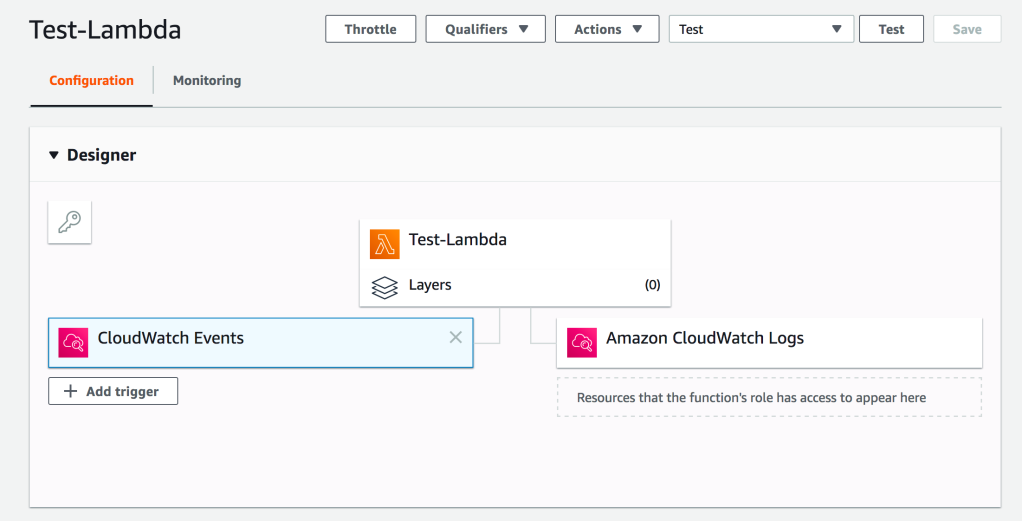
Part B: Deploy a Lambda Function Using Attached Code(S3-to-Redshift.zip). And Change Your Cluster and Bucket Details Accordingly

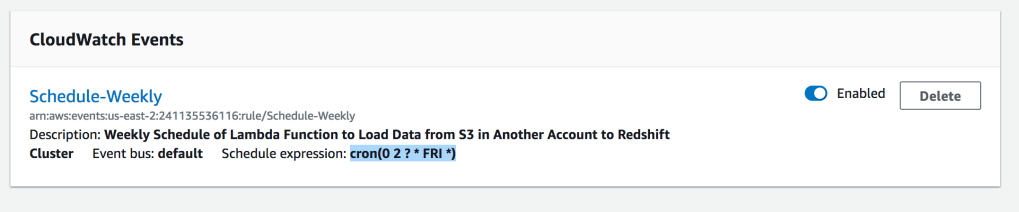
Add a Cloud Watch Event Trigger with Cron Expression : cron(0 2 ? * FRI *)

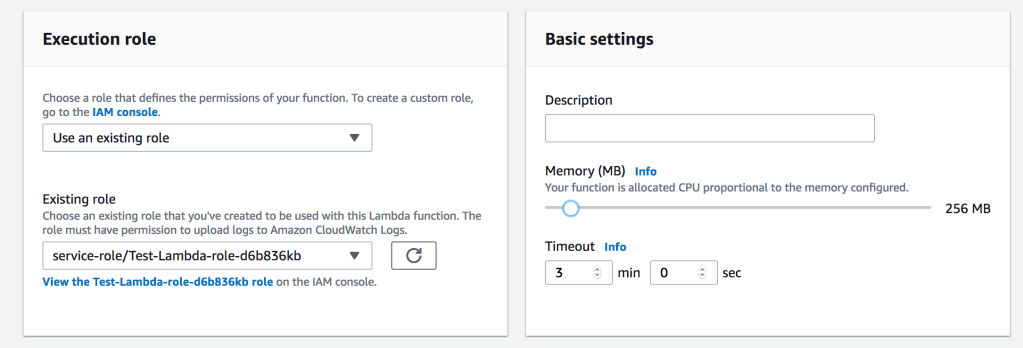
Increase Timeout & Memory of Lambda Function

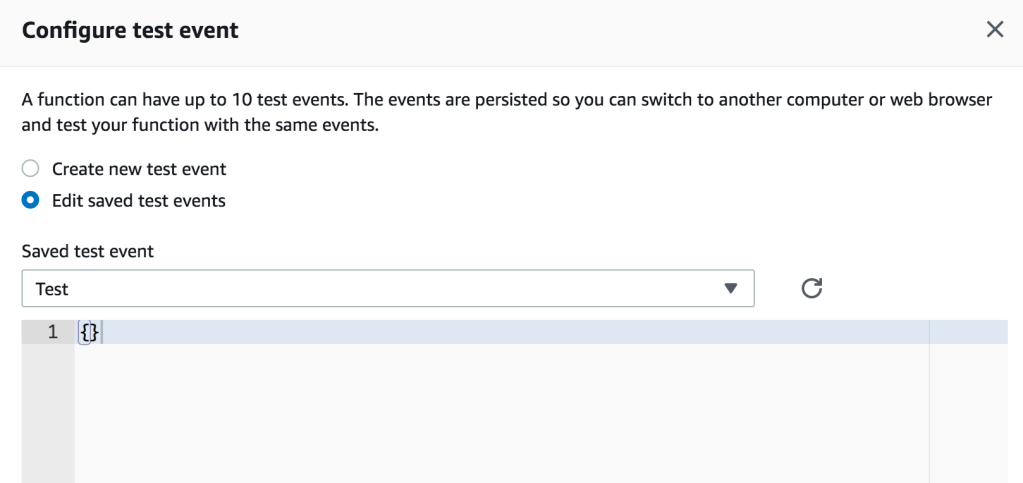
Configure Test Event

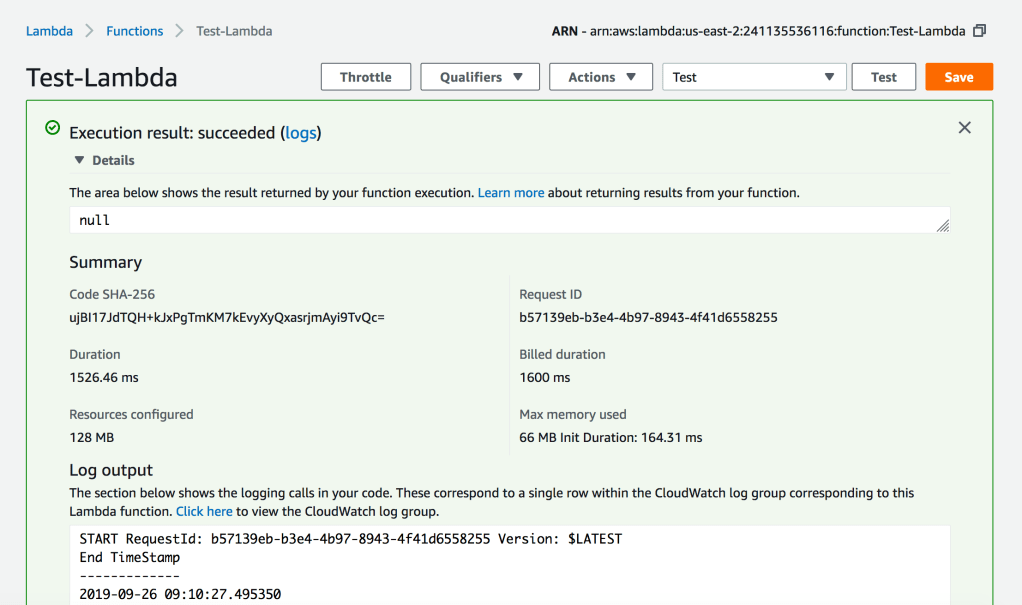
Execute the Lambda Function to Test

Python Code for Lambda Function

#######################################################################################
# Author         :      Shadab Mohammad
# Create Date    :      13-05-2019
# Modified Date  :      26-09-2019
# Name           :      Load Dataset from AWS S3 bucket to your Redshift Cluster
# Dependencies   :      Requires Python 3.6+. Python Libraries required ‘psycopg2’
#######################################################################################
import psycopg2
import csv
import time
import sys
import os
import datetime
from datetime import date
datetime_object = datetime.datetime.now()


print (“###### Load Data From S3 to Redshift ######”)
print (“”)
print (“Start TimeStamp”)
print (“—————“)
print(datetime_object)
print (“”)

def lambda_handler(event, context):
        #Obtaining the connection to RedShift
    con=psycopg2.connect(dbname= ‘testdb’, host=’shadmha-us-east-2.crhzd8dtwytq.us-east-2.redshift.amazonaws.com’, port= ‘5439’, user= ‘awsuser’, password= ‘SomeP@ssword’)

    copy_command_1=”copy connection_log from ‘s3://shadmha-us-east-2/cross-acct-test/connection_events.csv’ delimiter ‘,’ csv iam_role ‘arn:aws:iam::241135536116:role/RoleA,arn:aws:iam::804739925711:role/RoleB’ ignoreheader 1;”

    #Opening a cursor and run truncate query
    cur = con.cursor()
    query= f”’
    DROP TABLE IF EXISTS connection_log CASCADE;

    CREATE TABLE connection_log(
    username varchar(50),
    event varchar(50),
    count int8);
    COMMIT;”’
    cur.execute(query)
    con.commit()

    #Opening a cursor and run copy query
    cur.execute(copy_command_1)
    con.commit()
    #Close the cursor and the connection
    cur.close()
    con.close()

    # Progress Bar Code Ends here

    datetime_object_2 = datetime.datetime.now()
    print (“End TimeStamp”)
    print (“————-“)
    print (datetime_object_2)
    print (“”)

Lambda Function Code : https://github.com/shadabshaukat/serverless/blob/98f42c7867d6eb4d9e602d2b703764ad891fdfed/S3-to-Redshift.zip